
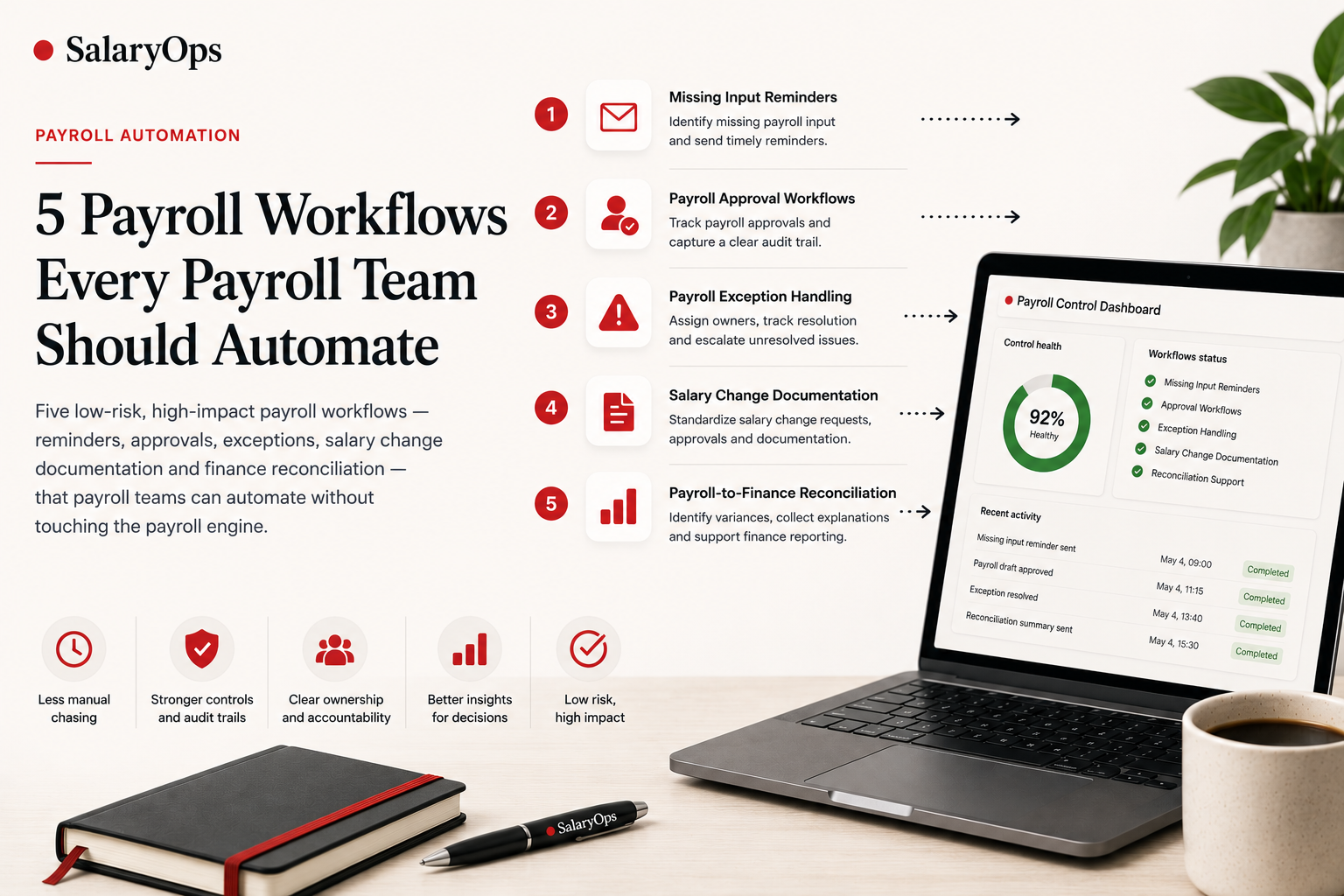
5 Payroll Workflows Every Payroll Team Should Automate
Five low-risk, high-impact payroll workflows - reminders, approvals, exceptions, salary change documentation and finance reconciliation - that payroll teams can automate without touching the payroll engine.
Payroll is one of the most important recurring processes in any company. It is also one of the most fragile.
Every month, payroll teams depend on input from HR, managers, finance and local teams. Salary changes, bonuses, absences, terminations, new hires, cost center updates and approvals all need to arrive on time, in the right format, with the right documentation.
When that does not happen, payroll becomes a manual follow-up machine.
Emails. Reminders. Spreadsheets. Status checks. Last-minute approvals. Missing documentation. Questions from finance after payroll close.
This is where payroll automation can create real value.
Not by replacing your payroll system. Not by removing human review. Not by turning payroll into a black box.
But by automating the recurring operational workflows around payroll.
At SalaryOps, we believe the best place to start is with low-risk, high-friction workflows that improve visibility, accountability and control.
Here are five payroll workflows every payroll team should consider automating.
1. Missing Payroll Input Reminders
Most payroll delays do not start inside the payroll system. They start before payroll even begins.
Common missing inputs include:
- salary changes
- bonuses
- absence data
- new hire information
- termination details
- cost center changes
- variable pay
- manager approvals
In many companies, payroll teams still chase this information manually every month.
A better workflow is simple:
This kind of workflow does not need to change payroll data. It simply makes missing input visible earlier and reduces the need for manual chasing.
2. Payroll Approval Workflows
Payroll approvals often happen in inconsistent ways.
Sometimes by email. Sometimes in a spreadsheet. Sometimes in a chat thread. Sometimes through an informal "looks good" message.
That may work when the company is small. But as payroll complexity increases, approval processes need more structure.
An automated approval workflow can:
- send approval requests to the right stakeholders
- track who has approved
- capture timestamps
- collect comments
- remind approvers before deadline
- escalate missing approvals
- store the approval trail
The goal is not to automate responsibility.
The goal is to automate the coordination around approval.
3. Payroll Exception Handling
Payroll exceptions are normal.
The problem is not that exceptions happen. The problem is that many teams handle them manually and inconsistently.
Typical payroll exceptions include:
- unusually high salary variance
- missing approval
- negative net pay
- terminated employee still included
- missing cost center
- duplicate payment risk
- late changes after cut-off
- missing documentation
Instead of managing these across emails and spreadsheets, HR and payroll teams can use a structured exception workflow.
This creates a much stronger control process.
- Every exception has an owner.
- Every exception has a status.
- Every exception has documentation.
- Every unresolved exception can be escalated before payroll closes.
4. Salary Change Documentation
Salary changes are one of the highest-risk areas in payroll operations.
A salary change usually needs:
- a clear source
- correct effective date
- approval
- documentation
- payroll notification
- sometimes finance visibility
- sometimes local compliance review
But in many companies, salary change information still arrives through scattered channels.
A SalaryOps-style workflow can standardize this process.
This type of workflow reduces ambiguity.
It helps answer important questions:
- Who requested the change?
- Who approved it?
- When does it take effect?
- Has payroll received it?
- Where is the documentation stored?
- Was it included in the correct payroll cycle?
5. Payroll-to-Finance Reconciliation Support
Payroll does not end when employees are paid.
Finance often needs explanations for changes in salary costs, bonuses, employer taxes, pension, benefits, accruals and cost center movements.
Without a structured process, payroll teams may receive ad hoc questions after payroll close.
An automated reconciliation support workflow can help collect explanations earlier.
This does not replace finance review. It supports it.
The workflow can help finance understand:
- why payroll costs increased
- which departments changed
- whether bonus payments explain a variance
- whether headcount changes affected totals
- which items still need review
Where Payroll Teams Should Start
The best payroll automation projects do not start with the most complex workflow. They start with the most repeated pain.
A good first workflow usually has these characteristics:
- it happens every payroll cycle
- it creates manual follow-up
- it depends on several people
- it has a deadline
- it benefits from documentation
- it does not require changing payroll calculations
That is why missing input reminders, approvals, exception tracking and documentation workflows are often better starting points than fully automated payroll processing.
The principle is simple:
Automate coordination before calculation.
Payroll is too important to automate blindly. But the recurring admin around payroll is often full of low-risk automation opportunities.
The SalaryOps View
SalaryOps is about building better operational workflows around payroll.
It sits between HR, payroll, finance and systems.
The goal is not to remove payroll professionals from the process. The goal is to give them better structure, better visibility and better control.
The future of payroll automation will not start by replacing payroll teams. It will start by helping them spend less time chasing, checking and explaining - and more time reviewing, improving and controlling the payroll process.
Structure your payroll process in 8 days.
A free 8-day email series for payroll specialists, managers and HR/finance teams. Practical examples on structure, controls and automation — no technical experience required.
- · one short email per day for 8 days
- · payroll workflow examples
- · control principles
- · n8n as part of the setup
- · free — unsubscribe anytime