Automating Payroll Controls with n8n
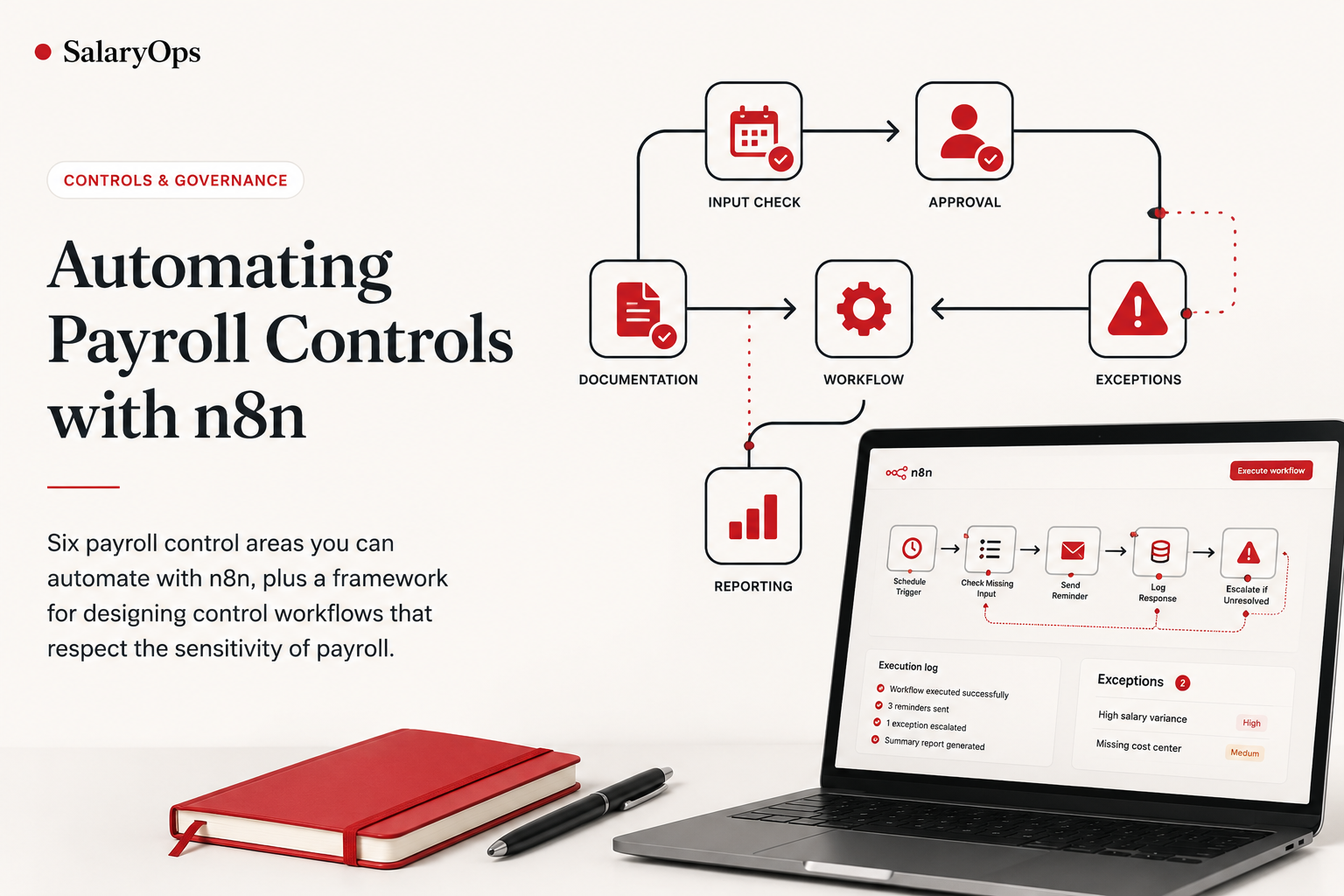
Payroll automation isn't only about speed - it's about control. Six payroll control areas you can automate with n8n, plus a framework for designing control workflows that respect the sensitivity of payroll.
Payroll automation is often discussed as a way to save time. That is important.
But in payroll, speed is not the only goal - and it should not be the first goal.
Payroll is sensitive, recurring and highly visible. A small mistake can affect employees directly, create finance issues, damage trust and trigger unnecessary manual clean-up.
That is why payroll automation should not only be about efficiency.
It should also be about control.
Tools like n8n can help payroll, HR operations and finance teams automate parts of the control process around payroll - without replacing the payroll system itself.
The opportunity is not to remove human review.
The opportunity is to make payroll controls more structured, timely and documented.
Payroll Controls Are Often Too Manual
Many payroll teams already have controls. But those controls are often managed through:
- spreadsheets
- emails
- calendar reminders
- manual checklists
- chat messages
- shared folders
- individual knowledge
That can work for a while.
But as payroll complexity increases, manual controls become harder to manage consistently.
Typical issues include:
- unclear ownership
- late approvals
- missing documentation
- unresolved exceptions
- undocumented follow-up
- inconsistent review steps
- limited audit trail
- poor visibility before cut-off
This is where automation can help.
Not by approving payroll automatically. Not by changing payroll data without review. But by making the control process more reliable.
The SalaryOps Principle: Control First, Automation Second
At SalaryOps, we believe payroll automation should start with a simple principle:
Control first. Automation second.
This means automation should support the payroll control environment. It should help payroll teams answer questions like:
- Has all required input been received?
- Who approved this change?
- Which exceptions are unresolved?
- What changed compared to last month?
- Has finance received the explanation?
- Where is the documentation stored?
- What was escalated before cut-off?
The best first payroll automations are not the ones that make payroll decisions. They are the ones that make existing control points visible, repeatable and documented.
What n8n Can Do for Payroll Controls
n8n is a workflow automation tool. For payroll controls, it can help connect events, data checks, notifications, trackers and documentation.
A simple control workflow might look like this:
This kind of workflow can support payroll controls without touching the core payroll calculation. That is a safer and more realistic starting point for most teams.
Control Area 1: Missing Payroll Input
A common payroll control issue is missing input before cut-off. Examples include:
- salary changes
- bonus files
- absence data
- termination details
- new hire confirmations
- cost center updates
- variable pay inputs
- manager approvals
A manual process often depends on someone checking a tracker and sending reminders. With n8n, this control can become more structured.
This control does not change payroll data. It simply helps ensure that required input is visible, followed up and documented before payroll closes.
Control Area 2: Salary Change Approval
Salary changes are high-risk payroll events. A salary change control should usually answer:
- Who requested the change?
- Who approved it?
- What is the effective date?
- Is the documentation complete?
- Has payroll received the approved change?
- Was it included in the correct payroll cycle?
Without structure, salary changes may be approved through scattered emails or informal messages. n8n can support a more controlled workflow.
The important point is that n8n should not independently decide whether a salary change is valid. It should route, track and document the control process.
Control Area 3: Payroll Exception Handling
Payroll exceptions are not unusual. But uncontrolled exceptions are dangerous. Examples include:
- high salary variance
- negative net pay
- missing cost center
- missing approval
- terminated employee included in payroll
- late change after cut-off
- duplicate payment risk
- missing bank details
- missing documentation
A structured exception control workflow can help ensure that every exception has an owner, a deadline and a resolution status.
This creates a stronger control process because exceptions no longer disappear into email threads.
Control Area 4: Payroll Variance Review
Finance often needs to understand why payroll costs changed from one month to the next. Payroll variance controls can help identify and explain material changes before finance close.
Examples of variance rules:
- payroll cost variance above a fixed amount
- payroll cost variance above a percentage threshold
- new cost center with payroll cost
- bonus or commission payout above threshold
- headcount change impact
- employer tax or pension movement above threshold
n8n can help coordinate this process.
This does not replace finance review. It improves the quality and timing of the information finance receives.
Control Area 5: Payroll Close Checklist
Many payroll teams use a monthly close checklist. But checklists often live in spreadsheets and require manual follow-up.
n8n can support a checklist control by tracking status, reminders and completion evidence.
This is especially useful for recurring payroll cycles where the same tasks must be completed every month.
Control Area 6: Report Distribution Logging
Payroll reports often contain sensitive information. They may be sent to finance, HR, managers, local teams or leadership.
A control issue arises when teams cannot easily prove:
- who received which report
- when it was sent
- which version was sent
- whether the recipient list was correct
- where the report was stored
n8n can help by creating a report distribution log.
This workflow should be designed carefully, especially where sensitive payroll data is involved. In many cases, it may be better to send a secure link rather than attach payroll files directly to emails.
What Not to Automate Too Early
Payroll controls should be automated carefully. Some workflows may be too risky as a first step.
Be cautious with automation that:
- changes salary amounts
- updates payroll master data
- approves payroll without human review
- applies tax or legal interpretation
- sends detailed payroll files broadly
- posts finance journals automatically
- bypasses established approval controls
- processes sensitive data without access management
These areas may be possible in mature environments, but they require stronger governance, testing, security and review.
A good first SalaryOps project should make the control process better - not create a new control risk.
A Simple Framework for Automating Payroll Controls
Before building a control workflow in n8n, define the control clearly. Use this structure:
This keeps the workflow grounded in payroll control - not just automation for automation's sake.
Example: Missing Input Control Design
Here is what that framework might look like for missing payroll input.
This is simple, but powerful. It turns a manual control into a repeatable workflow.
Why This Matters
Payroll teams are often under pressure to do more with limited resources. They need to deliver accurate payroll, maintain trust, support finance, answer employee questions and document controls.
Automation can help. But only if it is implemented in a way that respects the sensitivity of payroll work.
n8n can be useful because it allows teams to automate the coordination, documentation and follow-up around payroll controls. That is often where the first real value appears.
Not in replacing the payroll system. Not in removing payroll professionals.
But in giving payroll teams better operational infrastructure.
The SalaryOps View
The future of payroll automation is not just faster payroll. It is more controlled payroll operations.
Better reminders. Better approvals. Better exception handling. Better documentation. Better finance support. Better audit trails.
That is what SalaryOps is about. Using automation to make payroll operations more reliable, more visible and easier to control.
Structure your payroll process in 8 days.
A free 8-day email series for payroll specialists, managers and HR/finance teams. Practical examples on structure, controls and automation — no technical experience required.
- · one short email per day for 8 days
- · payroll workflow examples
- · control principles
- · n8n as part of the setup
- · free — unsubscribe anytime