
Can I Automate Payroll in Excel, or Do I Need Payroll Software?
While Excel can calculate payroll, it's not designed for the operational control and compliance crucial for consistent, error-free processing. This article helps you decide when Excel is "good enough" vs. when dedicated payroll software becomes essential.
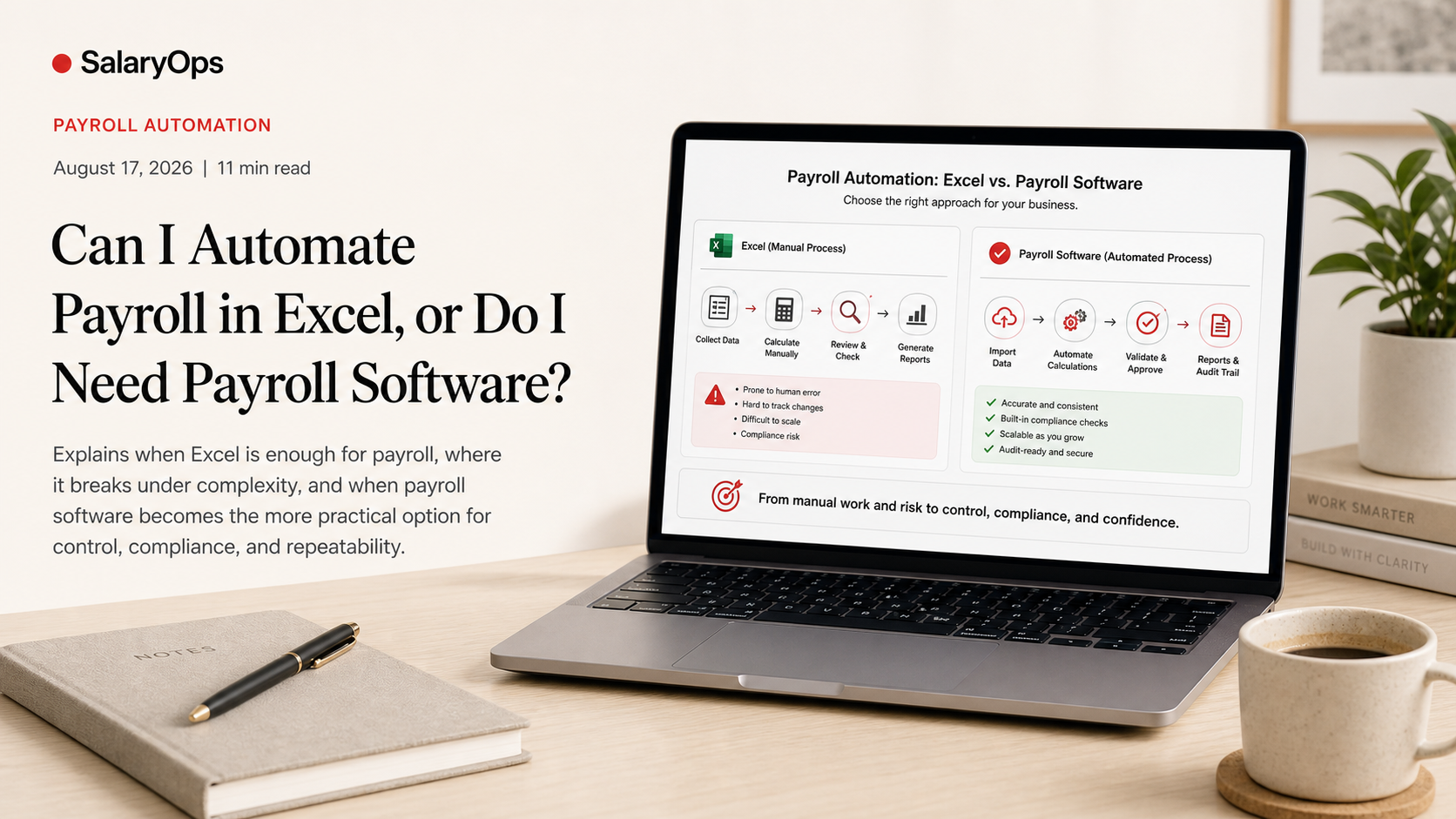
If you are a budget-conscious admin, the question usually starts the same way: “We already have Excel. Can’t we just automate payroll in a spreadsheet and be done with it?”
And to be fair: Excel can calculate salaries. It can generate decent-looking payslips. It can keep monthly records. You can even build macros, Power Query imports, and validation rules.
But payroll is not a math problem. It is an operational process with compliance consequences. The real question is not “Can Excel do it?” but “Can we run it safely every month when reality hits?”
This article gives you a practical way to decide what’s “good enough” in Excel, what usually breaks, and when payroll software becomes the cheaper option in practice.
What people mean by “automate payroll in Excel” (and what that includes)
In the typical Excel thread, the wish list looks like this:
- Salary calculations: base pay, hourly pay, overtime, allowances, reimbursements
- Deductions: taxes, social contributions, pension, benefits, garnishments
- Employee changes: hires, terminations, salary changes, sick leave, parental leave, mid-month changes
- Payslips: automated templates, PDF output, email distribution
- Monthly records: archive by pay period, year-to-date tracking, reporting exports to finance
All of that is technically possible.
Excel is extremely flexible. That flexibility is also the problem: the payroll process becomes as reliable as the last person who touched the formulas.
The Excel reality: the biggest risk is not calculation — it’s control
If you do payroll in Excel, your hidden dependencies multiply quickly:
- Version control: Which file is “the one”? Which tab is current?
- Change control: Who changed a rate, a threshold, or a formula — and why?
- Data coherence: Does “employee 123” mean the same thing across HR, time, payroll, and finance?
- Auditability: Can you explain how a number was calculated three months ago?
Operational spreadsheet errors are a known issue in business contexts, and research has documented that real-world spreadsheets frequently contain mistakes that can materially affect outputs. Payroll is not the place where you want to discover that your “small” spreadsheet error became a repeated monthly deduction issue. (Panko’s spreadsheet error research is often cited in this area; see: https://www.sciencedirect.com/science/article/pii/S0167923609000335)
Payroll software is not “better” because it is shinier. It is better because it forces structure:
- Statutory logic is embedded (and updated)
- Changes are logged
- Roles, approvals, and audit trails exist by design
- Outputs (payslips, reports, files) are generated consistently
Excel can imitate some of this. It just does not give it to you for free.
When Excel payroll can be “good enough” (yes, sometimes it is)
Excel is often viable when most of the following are true:
- Simple payroll population (example: 1–10 employees)
- Mostly fixed salaries, minimal variable pay
- One country / one tax regime / one set of rules
- Few mid-month changes
- Low turnover
- You have one stable person maintaining the file (and backups)
- Compliance requirements are manageable (and you understand them)
In other words: Excel works best when payroll is stable, boring, and rarely changed.
If the business is small and payroll is truly simple, a well-built spreadsheet can be a reasonable bridge.
But do not confuse “possible” with “controllable.”
The moment Excel starts to crack: the four complexity triggers
Excel payroll usually becomes fragile when any of these show up:
Trigger 1: Variable pay and time data
If you depend on timesheets, overtime rules, shift differentials, bonuses, commissions, on-call pay, or allowances, the spreadsheet becomes a data integration project.
You are no longer calculating payroll. You are consolidating multiple sources of truth, reconciling differences, and hoping the import step does not shift a row.
Trigger 2: Frequent employee changes
New hires, terminations, leave, sick pay rules, salary adjustments, benefit changes, and retroactive corrections are not edge cases. That is everyday life.
Excel can handle these. But every “special case” becomes another formula branch, another tab, another manual override, another risk.
Trigger 3: Compliance updates and local requirements
Tax thresholds, reporting formats, pension rules, and statutory contributions change. Sometimes annually. Sometimes mid-year. Sometimes with very little notice.
With Excel, you have to:
- monitor changes
- implement changes correctly
- test them
- document them
Software vendors love to market “automatic compliance updates” because it removes exactly this recurring maintenance burden. (For an example comparison of payroll software vs Excel from a vendor perspective, see: https://payfit.com/compare/best-payroll-software-vs-excel/)
Trigger 4: You need auditability, not just numbers
The second you must prove what happened (to finance, auditors, leadership, authorities, or employees), “We have a spreadsheet” stops being a comfortable answer.
Auditability is not a report. It is the ability to reconstruct decisions and inputs.
Payslips in Excel: doable, but the distribution and data privacy part hurts
Creating a payslip template in Excel is not the hard part.
The hard parts are:
- ensuring each employee gets the correct file
- ensuring files are not accidentally shared
- ensuring historical payslips are archived securely
- ensuring only authorized people can access payroll data
Spreadsheets tend to travel: email attachments, Teams chats, USB sticks, “final_v7.xlsx”. That is not a security model.
Payroll software usually improves this with role-based access and employee self-service portals, where payslips live in a controlled environment.
A practical decision framework: choose based on risk and repeatability, not tool preference
If you want a simple way to decide, use three questions.
Question 1: Can we describe the process in steps?
If the process depends on one person’s memory, your automation is already unsafe.
“My memory is not a control.”
If the process can’t be written down, it can’t be stabilized.
Question 2: Can we test it every month?
A controllable Excel payroll needs repeatable monthly checks, for example:
- reconciliation to prior month (by employee and in total)
- outlier checks (unusually high/low net pay, deductions, overtime)
- headcount changes cross-checked against HR records
- bank file totals reconciled to payroll totals
- year-to-date reasonableness checks
If you cannot keep these controls light, repeatable, and documented, Excel becomes an “it works until it doesn’t” system.
Question 3: What happens when the payroll person is away?
If payroll only runs because one person knows the file, you don’t have a process. You have a dependency.
This is where software often pays for itself: less tribal knowledge, more standard operating rhythm.
If you stay with Excel: how to make it less fragile (minimum viable controls)
If budget forces Excel for now, at least build it like an operational system:
- One input sheet, one calc sheet, one output sheet (avoid spaghetti formulas across 20 tabs)
- Lock formulas and separate inputs clearly
- Use named ranges and structured tables
- Create a change log tab (what changed, when, by whom, why)
- Keep a month-end folder structure with read-only archives
- Use Power Query for imports instead of copy/paste wherever possible
- Document your assumptions (rates, thresholds, rounding rules)
- Create a short monthly control checklist and store evidence
This does not make Excel “as good as payroll software.” It makes Excel less risky.
When payroll software becomes the cheaper option (even if it costs money)
The turning point is usually not headcount alone. It is the combined cost of:
- time spent on manual consolidation and corrections
- error risk (and rework)
- compliance maintenance
- employee queries and trust issues when payslips don’t make sense
- dependency on a single spreadsheet owner
Surveys and industry reporting repeatedly link payroll inefficiency and errors to fragmented processes and limited automation, with significant time losses reported when systems are not integrated. (Example industry reporting: Finity’s UK Payroll Efficiency Report, https://www.finity.co.uk/wp-content/uploads/2026/03/UK-Payroll-Efficiency-Report-2026.pdf)
Even when you do not fully trust vendor numbers, the direction is obvious: once payroll becomes a recurring reconciliation exercise, the spreadsheet is no longer “cheap.” It is just unpaid operational debt.
Conclusion: Excel can automate payroll — but payroll needs control more than cleverness
Yes, you can automate parts of payroll in Excel. For small, stable, low-variation payrolls, it can even be “good enough” for a period.
But the moment your payroll starts to reflect real life—employee changes, variable pay, compliance updates, and the need to explain numbers—Excel stops being a calculator and becomes a fragile system you must constantly police.
The practical takeaway is simple: choose the approach that you can run safely every month. In payroll, reliability beats cleverness every time.
Structure your payroll process in 8 days.
A free 8-day email series for payroll specialists, managers and HR/finance teams. Practical examples on structure, controls and automation — no technical experience required.
- · one short email per day for 8 days
- · payroll workflow examples
- · control principles
- · n8n as part of the setup
- · free — unsubscribe anytime