
Can I Still Review and Approve Payroll Manually Before It Runs?
Yes, you can and should still review and approve payroll manually before it runs. This post explains why manual oversight matters, what "manual review and approval" entails, and where control points belong in a practical approval workflow. It also suggests que
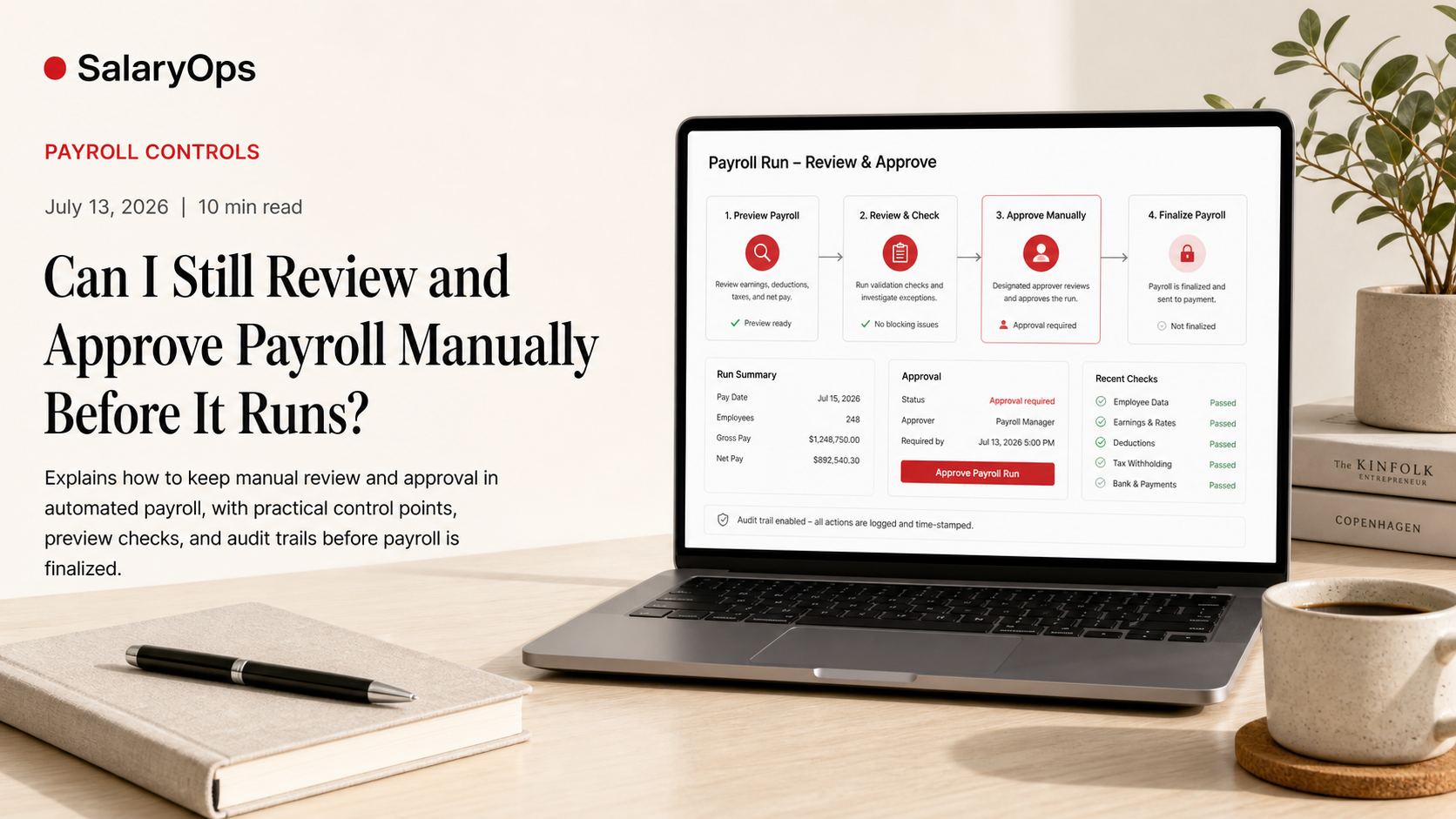
Can I Still Review and Approve Payroll Manually Before It Runs?
(Yes-if your payroll process is designed with real control points)
Payroll automation is useful right up until it turns into a black box: inputs go in, money goes out, and you're expected to "trust the system." If you're responsible for payroll, that's not reassuring-it's risky.
The good news is that "automated payroll" and "manual approval" are not opposites. A well-run payroll process should still have deliberate, human-controlled gates before anything is finalized. In fact, most modern payroll setups are moving toward stronger approval workflows and clearer audit trails-not less oversight.
This article breaks down what manual review and approval should look like in practice, what to ask of your payroll setup, and where the control points belong so payroll stays understandable, repeatable, and hard to break.
Why manual approval still matters (even with modern payroll software)
There are payroll problems that no amount of automation will magically prevent:
- A pay rate change entered with the wrong effective date
- An allowance applied to the wrong employee group
- Overtime coded correctly in time tracking but mapped incorrectly into payroll
- A deduction that's technically "set up" but applied twice
- A new hire missing a tax setting or benefit enrollment
Automation can process those errors faster. It cannot decide whether they make sense.
That's why experienced payroll teams insist on something very old-fashioned: a preview, a review, and an explicit approval before funds move.
What "manual review and approval" should mean in a real payroll process
Manual oversight is not a vague promise like "you can check payroll if you want." It should be a defined step in the workflow with three features:
- A payroll preview you can actually review
You need a clear "preview register" (sometimes called a payroll preview, draft payroll, pre-run register, or payroll register) that shows-per employee:
- Gross pay and earnings breakdown (salary, hourly, overtime, bonus, allowances)
- Deductions (benefits, pension, garnishments)
- Employer costs where relevant
- Taxes/withholdings where relevant
- Net pay
If the system cannot produce a reviewable register before finalization, you don't have control-you have hope.
- A lockable approval gate
A proper approval step means:
- Someone must approve payroll before processing
- Approval is recorded (who approved, when)
- After approval, the payroll is locked or controlled so last-minute edits don't silently change what was approved
This is the difference between "reviewing payroll" and "controlling payroll."
- An audit trail that shows what changed
Approvers should be able to see:
- What changed since last run (rates, one-off payments, deductions, employee status)
- Who changed it
- When it changed
Without this, review becomes a time-consuming detective exercise-and the whole process ends up depending on memory. And memory is not a control.
Where the control points belong: a practical approval workflow that isn't bureaucracy
A workable payroll workflow doesn't add steps for the sake of looking compliant. It adds control exactly where reality tends to break the process.
Here's a practical model you can adapt.
Control point 1 - Input approvals before payroll preview (hours and changes)
Most payroll errors are not "payroll system errors." They're upstream inputs that weren't reviewed.
Timesheets and variable pay
If you have hourly employees, overtime, shift premiums, on-call pay, commissions, or piece rates, your first approval gate is usually time and attendance:
- Timesheets submitted
- Manager review and approval
- Cutoff date enforced
A clean payroll run is often just a clean time approval process.
Master data changes (the quiet risk)
Rate changes, cost center changes, new hires, terminations, and benefit changes should have their own micro-controls:
- Effective date checks
- Eligibility checks (especially benefits)
- Validation rules (e.g., no missing bank account for paid employees)
You don't want these discovered during payroll crunch time.
Control point 2 - Pre-payroll review using a preview register
This is where manual review belongs: after inputs are in, before payroll is final.
What to review in a preview register (the "boring but effective" checks)
Compare to last payroll (variance checks)
Variance checks catch the errors that look "plausible" but are wrong.
Common variance checks include:
- Net pay significantly higher/lower than last period (for employees without known changes)
- Unusual overtime spikes
- Missing employees or duplicate employees in the payroll list
- New or missing deduction lines
Spot-check the employees that tend to break things
Instead of trying to review every line equally, prioritize the people and pay types with the highest risk:
- New hires and recent terminations
- Employees with recent salary/hourly rate changes
- Employees with one-off adjustments (backpay, bonus, expense reimbursements)
- Employees with garnishments
- Cross-border employees (where applicable) or employees moving between legal entities
Validate totals that must make sense
At minimum, sanity-check totals like:
- Total gross pay vs last period (adjusted for headcount and known changes)
- Total employer cost categories (if you track them)
- Total deductions by type (benefits, pension)
If your totals fluctuate and nobody can explain why, you're not controlling payroll-you're reacting to it.
Control point 3 - Formal payroll approval (separation of duties)
A surprisingly common weakness in payroll operations is that the person who builds the payroll run is also the person who "approves" it. That is not approval; it's confirmation.
A stronger, still-practical model:
- Payroll prepares the draft payroll and documents exceptions
- A manager/finance approver reviews the preview register and exceptions
- Approval is logged and the payroll is locked for processing
If you're in a small organization and separation of duties is hard, you can still create separation through process:
- A second person reviews a defined subset (e.g., high-risk employees and variance report)
- Approval is documented consistently
The point is not perfection. The point is a repeatable control that doesn't depend on one person's head.
What to ask a payroll provider or system team (to avoid black-box payroll)
If your goal is oversight and control, the questions are straightforward-and telling.
Preview and documentation
- Can we generate a payroll preview register before final processing?
- Can we export it (PDF/Excel) for review and audit documentation?
- Can we see a change log of key employee/payroll data changes since last run?
Approvals and lock states
- Can payroll be configured so it cannot run without approval?
- Can approvals be role-based (preparer vs approver)?
- After approval, is the payroll batch locked (or are changes tracked and re-approved)?
Exceptions and anomaly flags
- Can the system flag unusual variances automatically?
- Can we configure thresholds (e.g., net pay variance above X%, unusually high overtime)?
Audit trail and traceability
- Do we have a full audit trail: who changed what, when, and from where (manual entry vs integration feed)?
- Can we trace a payroll result back to the source inputs (time system, HR master data, one-off entries)?
The more uncomfortable a provider gets with these questions, the more likely the "automation" is doing too much in the dark.
A simple, repeatable payroll approval checklist (one page you can live with)
Use this as a baseline for a controllable payroll run.
Before preview
- Timesheets approved (if applicable) and cutoff respected
- New hires, terminations, and leave changes reviewed for correct dates
- Pay rate changes reviewed for effective dates and approvals
- One-off payments documented (bonus, backpay, reimbursements)
During preview review
- Payroll preview register generated and saved
- Variance check run vs last payroll (focus on large net/gross changes)
- High-risk employees spot-checked (new hires, changes, garnishments, one-offs)
- Totals sanity-checked (gross, key deductions/benefits)
- Exceptions documented (what changed, why it's correct)
Approval and release
- Approver signs off (logged approval)
- Payroll batch locked or changes tracked and re-approved
- Final confirmation of pay date and payment file readiness (bank/ACH)
Conclusion: Automation is fine-unapproved payroll is not
You can absolutely review and approve payroll manually before it runs, and you should.
The most reliable payroll operations use automation for what it's good at-consistent calculations, repeatable processing, and clean data movement-while keeping human review where it belongs: at the control points.
A payroll run that cannot be previewed, explained, and approved is not "optimized." It's just faster uncertainty. A payroll run with a clear preview register, documented exceptions, and a lockable approval gate is the opposite: it's automation you can actually control.
Structure your payroll process in 8 days.
A free 8-day email series for payroll specialists, managers and HR/finance teams. Practical examples on structure, controls and automation — no technical experience required.
- · one short email per day for 8 days
- · payroll workflow examples
- · control principles
- · n8n as part of the setup
- · free — unsubscribe anytime