
Do Payroll Systems Integrate with Time Tracking, HRIS, and Accounting Software?
This article explores payroll system integrations with time tracking, HRIS, and accounting software. It defines what "integration" truly means in payroll, discusses common failure points, and outlines due diligence questions for evaluating integration capabili
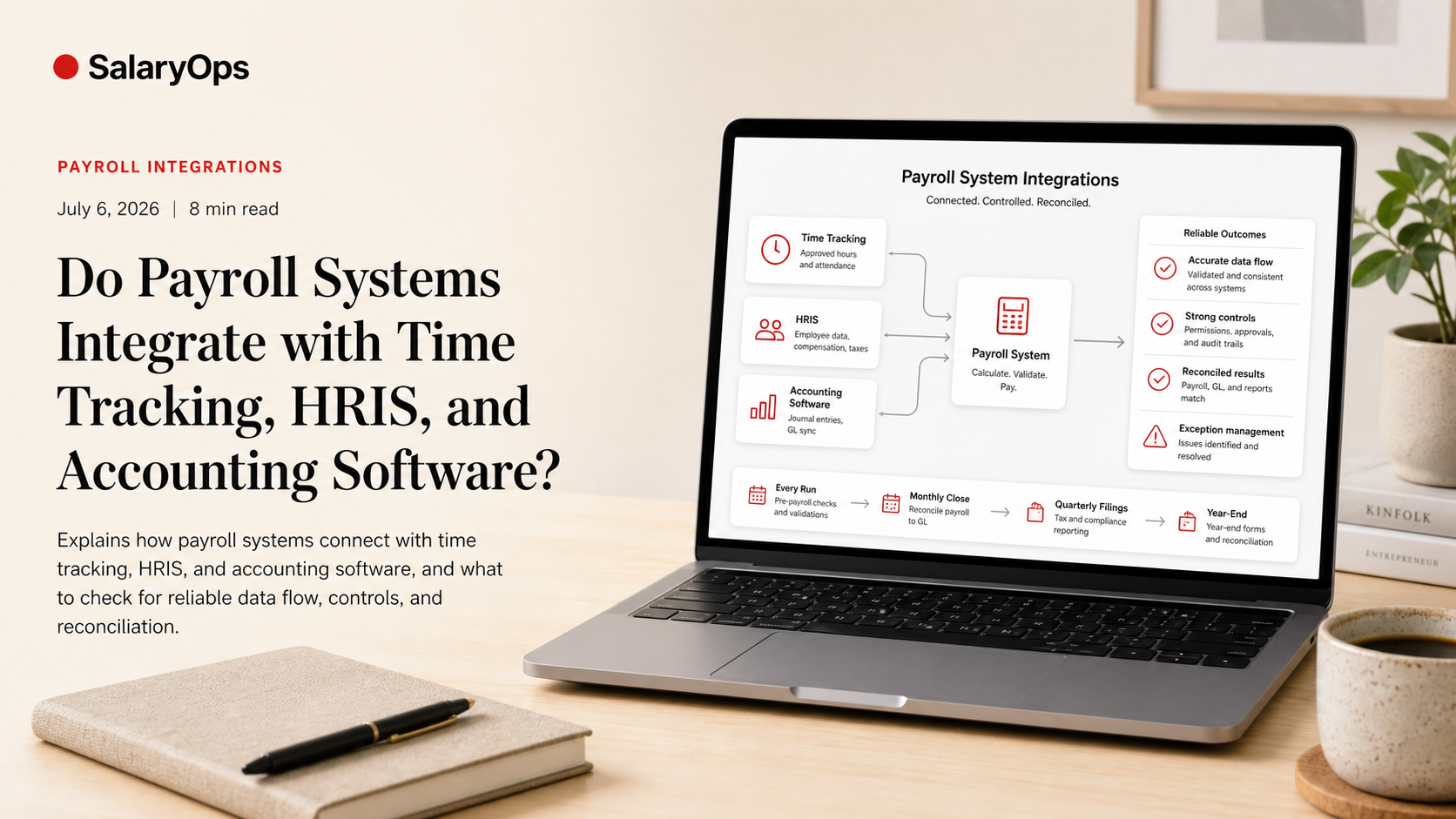
Do Payroll Systems Integrate with Time Tracking, HRIS, and Accounting Software?
Integrations are one of the first "real" buying questions in payroll. Not because it sounds modern, but because most payroll errors are not invented inside payroll. They arrive from elsewhere: wrong hours, wrong job data, missing leave, late hires, mis-mapped cost centers, or accounting rules that only live in someone’s spreadsheet.
That’s why buyers keep asking about it. G2 repeatedly highlights integrations as a major buying priority, and even breaks out “Payroll Integration” as a theme in time tracking software. In other words: you’re not paranoid. You’re practical.
This article answers the question as it plays out in real operations: yes, payroll systems often integrate with time tracking, HRIS, and accounting tools-but “integrate” can mean anything from a clean, controlled data flow to a fragile file export that someone babysits every month.
1) The short answer: Yes-but not always in the way you expect
Most modern payroll platforms offer some mix of:
- Native integrations (built and supported by the payroll vendor)
- Partner integrations (supported jointly or via an “app marketplace”)
- API-based integrations (you or an integration partner builds and maintains)
- File-based interfaces (CSV/XML/SFTP exports/imports)
In G2’s ecosystem, payroll integration is treated as a key capability in time tracking, and G2’s buyer research continues to stress that integrations influence software purchasing decisions. That lines up with daily payroll reality: disconnected systems create manual work, manual work creates variation, and variation creates errors.
But: the presence of an integration badge is not the same thing as an operationally reliable integration.
2) What “integration” actually means in payroll operations
A payroll integration is only helpful if it creates coherence-not just transport.
A clean data flow should answer three basic questions:
- What data is the source of truth?
- How is meaning preserved across systems?
- What controls catch bad data before it becomes pay?
If those questions aren’t answered, you can absolutely have “integrations” and still spend days cleaning up.
3) Payroll + time tracking integration: where the mess usually starts
Time data is one of the most common error sources because it is both high volume and policy-heavy.
3.1 Typical time-to-payroll data that integrates well
A good time tracking integration usually moves:
- Approved hours (regular, overtime, shift differentials)
- Absence/leave codes (vacation, sickness, parental leave, etc.)
- Premiums and allowances (on-call, weekend, night work)
- Project or cost center allocations (if used for payroll posting)
The key word is approved. If your integration pushes unapproved time into payroll, you’re not integrating-you’re accelerating disputes.
3.2 Common failure points (that a demo will not show)
- Pay code mapping that “almost” matches (e.g., overtime 50% vs 100%, different union rules)
- Rounding rules that differ between systems
- Retroactive adjustments (a corrected timesheet after payroll cut-off)
- Employees working across locations or legal entities
- Time tracking exceptions handled “manually” in payroll because nobody trusts the flow
Operational takeaway: the integration must be designed around payroll cut-offs and approval logic, not around “data sync frequency.”
4) Payroll + HRIS integration: the master data you think is clean (until it isn’t)
HRIS integrations usually look simple: new hires, job changes, salary changes, bank details, addresses, tax data, manager, org structure.
In practice, HRIS-to-payroll breaks when meaning is unclear.
4.1 Fields that require shared definitions
- Employment type (hourly vs salaried vs contractor) and what each implies in payroll
- Work schedule / FTE and how it drives accruals and proration
- Compensation elements (base pay vs allowances vs one-time payments)
- Eligibility rules for benefits and pension schemes
- Location, tax jurisdiction, and reporting fields
If HR and payroll use the same words but mean different things, the integration will faithfully move the wrong meaning at scale.
4.2 Event timing matters more than “real-time sync”
Payroll cares about effective dates. HR often cares about “entered date.”
A solid integration (or interface design) must handle:
- Future-dated changes
- Backdated changes
- Terminations and rehires
- Leave periods impacting pay, accruals, and reporting
Operational takeaway: the best HRIS integration is not the fastest-it is the one that produces a clear, auditable change history and predictable effective-date behavior.
5) Payroll + accounting integration: where costs, journals, and compliance collide
Accounting integrations often get treated as a “finance problem.” In reality, it’s a payroll control problem-because payroll is usually one of the largest monthly postings.
5.1 What typically flows from payroll to accounting
Depending on your setup, the payroll-to-accounting integration may produce:
- Payroll journal entries (wages, taxes, employer costs)
- Liability postings (tax payable, pension payable)
- Employer contributions and benefit costs
- Department/project/cost center splits
- Accruals (vacation accrual, bonus accrual) where used
Some vendors and integration descriptions explicitly call out accounting integrations (for example, QuickBooks is commonly referenced in payroll/HR integration ecosystems). The question is not “can it export a journal,” but “can it export the journal you can reconcile.”
5.2 The classic accounting integration failure modes
- Cost center mapping is incomplete or not aligned with finance master data
- Posting rules are undocumented (or live in one person’s head)
- Net pay vs bank file vs general ledger doesn’t tie out cleanly
- Multi-entity and cross-border complexities (VAT-like reporting, local statutory reporting, different charts of accounts)
Operational takeaway: if you cannot reconcile payroll to the ledger without detective work, the integration is not finished.
6) Integration approaches you’ll see when comparing payroll systems
Here’s the practical comparison buyers usually need early:
6.1 Native connector
Pros: faster to implement, vendor-supported, often more stable. Cons: limited flexibility; may not match your specific pay codes, local rules, or reporting structures.
6.2 Marketplace/partner connector
Pros: broader coverage; often proven for common combinations. Cons: support boundaries can get fuzzy when things break (vendor vs partner).
6.3 API build (custom)
Pros: flexible; can be designed around your controls and rules. Cons: you own complexity: monitoring, change management, versioning, documentation.
6.4 File-based interface
Pros: simple, predictable, easy to audit. Cons: often becomes manual; error handling is usually weak unless you build controls around it.
None of these is “bad.” What’s bad is picking one without deciding how you will control it month after month.
7) The due diligence questions that prevent integration disappointment
Most integration projects fail quietly. They don’t crash. They degrade into manual cleanup.
Use these questions when evaluating a payroll system’s integration capability:
7.1 Data ownership and source of truth
- Which system owns employee master data?
- Which system owns hours and absence?
- Which system owns cost centers and posting rules?
7.2 Mapping and meaning
- Can we export/import pay codes with stable identifiers?
- How are new pay elements introduced and tested?
- What happens when a value is missing or unknown?
7.3 Controls and validation
- What validation runs before import (format, ranges, required fields)?
- Are there balancing reports (hours vs last period, totals vs expectations)?
- Is there an error log that becomes a working tool (not an archive)?
7.4 Cut-offs and retro handling
- How do we handle late approvals and backdated changes?
- Do we have a defined process for retro pay triggered by time or HR changes?
7.5 Auditability and change history
- Can we trace a payroll result back to its source record and effective date?
- Do we have versioned integration documentation that survives staff changes?
8) What good looks like: an integration that reduces hassle and increases control
A good payroll integration is boring in the best way.
- It moves the right data, with the right meaning.
- It respects payroll cut-offs, approvals, and effective dates.
- It fails loudly (clear errors), not quietly (silent mismatches).
- It produces repeatable controls: reconciliations, balancing checks, and predictable exception handling.
G2’s content and buyer research keep pointing in the same direction: integrations matter in software buying decisions, and payroll/time tracking integration is a visible theme for buyers. That makes sense-because payroll is not a standalone process. It’s the last step in a chain.
Conclusion
Yes, payroll systems can integrate with time tracking, HRIS, and accounting software-and in many cases they should. But the buying question isn’t “do you have integrations?” The operational question is: does the integration create coherence you can trust, or does it just move problems around faster?
When integrations are designed around approvals, effective dates, mapping discipline, and practical controls, they remove manual work and reduce recurring errors. When they aren’t, you still pay the price-just in a different spreadsheet.
Structure your payroll process in 8 days.
A free 8-day email series for payroll specialists, managers and HR/finance teams. Practical examples on structure, controls and automation — no technical experience required.
- · one short email per day for 8 days
- · payroll workflow examples
- · control principles
- · n8n as part of the setup
- · free — unsubscribe anytime