
What Payroll Automation Catches First: The Most Common Errors (and the Quick Wins)
This post identifies the most common payroll errors, from missing hours and duplicate payments to incorrect rates and tax issues, explaining how targeted automation and repeatable exception checks can catch these predictable mistakes early, leading to quicker
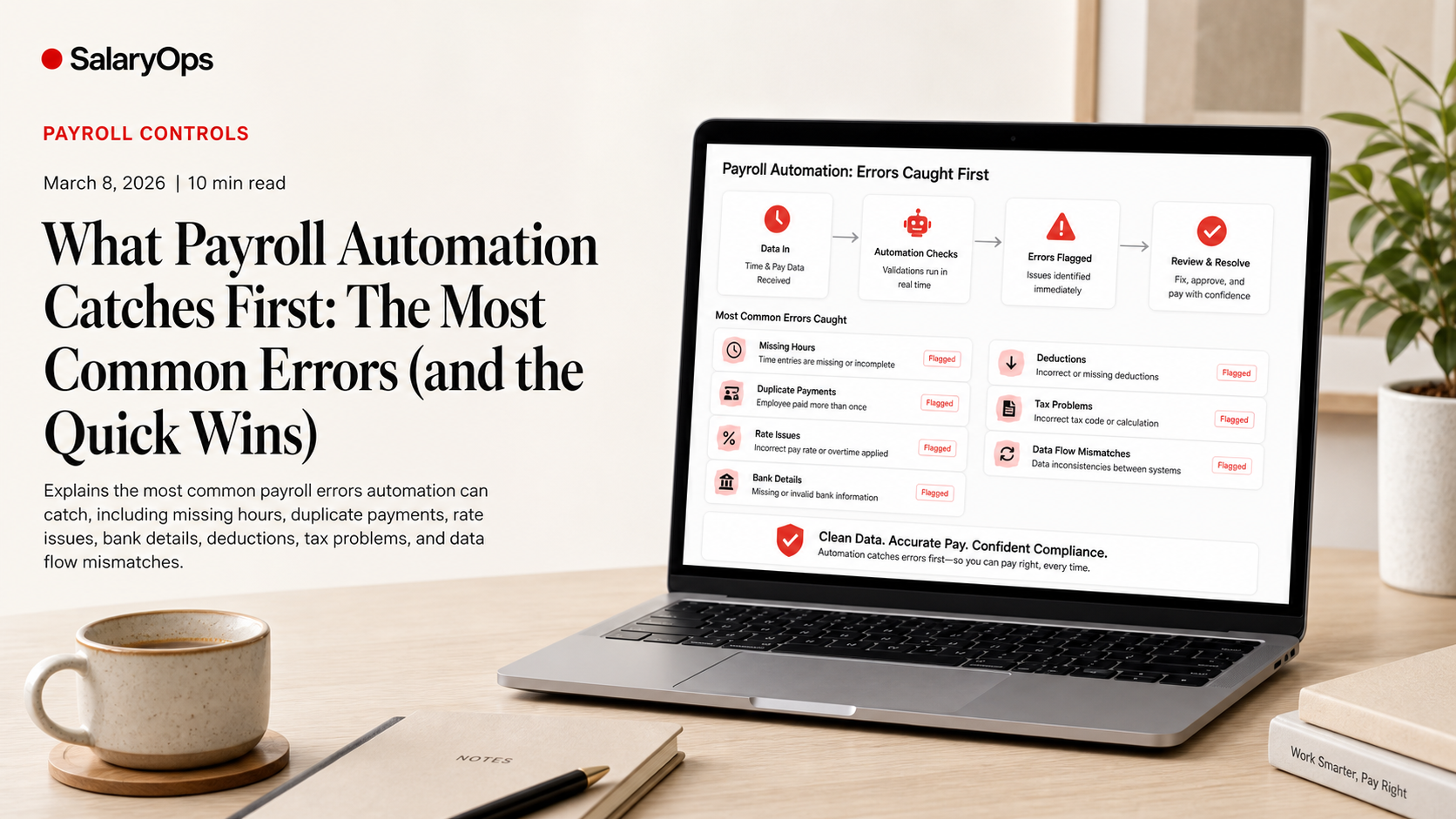
Payroll errors are rarely caused by one “big mistake.” They usually come from small, boring mismatches: one missing time entry, one outdated bank account, one rate change that didn’t make it through the data flow.
That’s why the fastest payroll “wins” are not flashy AI features. They are controls: simple, repeatable checks that run every payroll and catch the same predictable issues before money leaves the building.
Industry research keeps confirming the size of the problem. WorldatWork has cited payroll leakage in the range of 2%-4% of labor spend, driven by processing errors, system limitations, and fraud. And UK payslip anomaly modelling (PayslipIQ) found 11.4% of modelled payslips in the 2024/25 tax year had at least one calculation discrepancy. You don’t need to agree with every number to recognize the pattern: small errors happen often, and they add up.
Below are the most common payroll errors automation is good at catching-especially the ones you listed-plus what to automate (or validate) to prevent them from becoming recurring monthly “surprises.”
1) Missing hours (and “mysteriously low” pay)
What it looks like in real life
- A non-exempt employee has no hours for one day because a supervisor didn’t approve time.
- A shift got recorded in the time system but didn’t map to a payable earning code.
- Overtime exists, but the rule didn’t trigger because one day is missing.
Why it slips through
Payroll teams often see time data too late. Or they receive it, but only as totals-so the gap is not obvious unless you compare to a pattern.
What automation can catch
Completeness checks
- “Active employee with 0 hours” (for hourly employees expected to have time)
- “Missing time for a scheduled day” (if schedules exist)
- “Timecard not approved by cutoff” and therefore excluded from payroll
Variance checks against history
- Hours down/up by more than X% vs. prior pay period
- Overtime suddenly disappears (or spikes) for the same employee group
Quick win control
Create a pre-payroll exception list: hourly employees with (a) missing approvals, (b) 0 hours, or (c) large variance vs. last pay run. Send that list to the people who can fix the source data-not to payroll to “just adjust it.”
2) Duplicate payments (the expensive kind of “oops”)
What it looks like
- The same one-time payment is entered twice.
- A retro adjustment is applied, but the original correction wasn’t reversed.
- A terminated employee gets paid again because an interface keeps sending them as active.
Why it slips through
Duplicate payments can look “reasonable” in isolation. The amount isn’t always huge, and the line item may have a plausible description.
What automation can catch
Duplicate transaction detection
- Same employee + same earning code + same amount within the same pay period
- Same employee + same payment reference/ID (if your system supports references)
Duplicate bank file entries
- Duplicate net pay amounts to the same bank account on the same date
- Multiple payments to the same employee when policy is “one net payment per cycle”
Quick win control
Flag “two identical one-time items in the same run” and “two net payments to the same employee in the same run.” You can review ten flags faster than you can unwind one duplicate payment.
3) Incorrect pay rates (including changes that didn’t travel)
What it looks like
- A salary increase is approved in HR, but payroll still uses the old rate.
- A shift differential exists but is applied to the wrong earning code.
- An hourly worker is paid at the right base rate-but the overtime rate is wrong because the rule or rate table is outdated.
Why it slips through
Rates live in multiple places: HR, payroll, time, sometimes finance. The most common failure is not “someone typed the wrong number.” It’s a rate change that didn’t flow correctly or didn’t map correctly.
What automation can catch
Rate-to-contract validation
- Pay rate differs from job/grade rate table
- Salary amount doesn’t match annual salary / pay frequency logic
Retro and effective-date logic checks
- Rate changed mid-period but payroll applied it for the full period
- Rate effective date exists, but the payroll result shows no change
Variance checks
- Gross pay variance beyond threshold when hours are stable
- Base rate variance beyond threshold vs. previous period
Quick win control
Build a “rate change reconciliation” report: compare HR effective-dated compensation changes to payroll rate records and highlight any employee where the change exists in HR but not in payroll by cutoff.
4) Outdated or invalid bank details (and failed payments)
What it looks like
- A bank transfer fails because IBAN/account number is no longer valid.
- Net pay goes to an old account after an employee changed it “in the portal,” but the update didn’t sync.
- An employee’s account is replaced by a manual override for one cycle and never corrected.
Why it slips through
Bank details are sensitive and sometimes intentionally restricted. That’s good for security, but it can create split ownership of the process and weak controls.
What automation can catch
Bank detail change controls
- Bank details changed within X days of payroll (extra review)
- Bank details changed + new payee name mismatch (where legally/technically possible)
Payment file validation
- Invalid account format (country-specific IBAN/BIC or local format rules)
- Missing bank account for employees paid by transfer
Quick win control
Treat “bank detail updated close to payroll” as an exception-not an automatic block, just a highlighted item with a clear audit trail. It reduces both payment failures and fraud risk.
5) Wrong deductions (benefits, garnishments, pension, union fees)
What it looks like
- Benefit deductions continue after an employee goes on leave or changes plan.
- A garnishment starts/ends but isn’t applied correctly.
- Pension contribution percentages are wrong after a salary change.
Why it slips through
Deductions are where “local rules + edge cases” show up: eligibility, thresholds, caps, waiting periods, and effective dates. And the data needed to calculate them often comes from different sources.
What automation can catch
Eligibility and status checks
- Deduction applied to an employee who is not eligible (e.g., wrong employment type, leave status)
- Missing required deductions for eligible employees
Threshold and cap checks
- Contributions exceed legal or plan maximums
- Contributions don’t meet minimums when rules require it
“Deduction drift” checks
- Deductions changed even though no related status change occurred
- Deductions didn’t change even though a related status change occurred
Quick win control
Create a “deduction sanity check” focusing on the biggest recurring pain points: employees with (a) new leave status, (b) new hire/rehire, (c) termination, (d) mid-month benefit changes. Those are where deductions most often go wrong.
6) Tax issues (wrong tax codes, wrong withholding, reporting mismatches)
What it looks like
- Wrong tax code/tax card/tax status for an employee.
- Incorrect taxable vs. non-taxable treatment of a benefit.
- Year-to-date balances don’t reconcile after adjustments.
Why it slips through
Tax errors are often “silent.” The payslip can look fine, the net pay can look plausible, and the problem only shows up later in reporting, audits, or employee complaints.
What automation can catch
Master data and tax setup validation
- Missing tax ID or invalid format
- Tax jurisdiction mismatch (work location vs. tax location, where applicable)
- Tax setup not aligned with employee status or contract type
YTD and reporting reconciliation
- YTD taxable wages or tax withheld deviates unexpectedly after a correction
- Payroll register totals don’t reconcile to GL posting or statutory reporting outputs
Taxability rules consistency
- Benefit coded as taxable in one system but non-taxable in another
Quick win control
Automate a “pre-close tax reconciliation”: compare payroll register totals to expected statutory reporting totals (or the source data you use to produce them). Catching mismatches early is calmer than rebuilding YTD logic later.
7) The “data flow” errors that create everything above
If you want a slightly opinionated payroll truth: many payroll errors are not payroll errors. They’re integration errors that payroll discovers.
Common examples automation can catch
- Employee marked as terminated in HR, but still active in payroll
- Cost center updated in finance, but payroll posting still uses old mapping
- Time earning codes not mapped to payroll earning codes
What to automate here
Cross-system coherence checks
- Headcount and employee status alignment (HR vs payroll)
- Earning code mapping completeness (time vs payroll)
- Master data delta reports (what changed since last run, and where)
Quick win control
Run a “delta report” every payroll: show changes in key fields (bank, tax setup, pay rate, employment status, work location, cost center) since the last run. Most problems start with a change.
How to implement these checks without building a monster
Payroll automation fails when it tries to be clever before it is controllable. The pragmatic approach is:
Start with exceptions, not full redesign
Automate the detection. Keep the decision with payroll until the checks prove themselves.
Use thresholds and patterns the team trusts
If everything is flagged, nothing is controlled. Start with 5-10 exception types that map to real pain.
Turn recurring errors into permanent controls
If the same issue appears twice, it is no longer an incident. It is a missing control.
Conclusion: Automation’s best job is catching the boring mistakes early
The most common payroll errors are predictable: missing hours, duplicate payments, incorrect rates, outdated bank details, wrong deductions, and tax setup or reporting mismatches. The real quick win is not “more automation” in general-it is targeted, repeatable exception checks that run every pay cycle and surface what changed, what doesn’t fit the pattern, and what doesn’t reconcile.
That’s how payroll gets calmer: not by pretending errors disappear, but by making them harder to repeat.
Structure your payroll process in 8 days.
A free 8-day email series for payroll specialists, managers and HR/finance teams. Practical examples on structure, controls and automation — no technical experience required.
- · one short email per day for 8 days
- · payroll workflow examples
- · control principles
- · n8n as part of the setup
- · free — unsubscribe anytime